Document Types And Scope
Old documents include paper files, scanned PDFs, photos of receipts, and exported statements from banking or benefits portals. The right next step depends on what the document is, who created it, and whether it supports a legal, tax, medical, or warranty obligation. A folder labeled “misc” often hides items with different retention rules, so you get better results by sorting first and deciding second.
Start with a practical inventory: pull everything from one storage location at a time, such as a drawer, a closet box, or a “Downloads” folder. Record the format (paper, PDF, email), the date range, and the document category. I usually see people skip the category step and then regret it when they discover a tax form mixed into a pile of manuals.
Common Mistakes And Risks
People often throw away documents based on age alone, even when the document supports a claim window or a dispute period. Retention rules vary by jurisdiction and by document type, so a single “7 years” rule rarely fits everything. Another frequent error involves assuming that a scanned copy makes the original safe to discard; a scan can be incomplete, corrupted, or missing pages.
Supporting technologies also create dependencies. If you store scans in a cloud drive, you need to know whether the service keeps deleted files in a trash or version history. If you use a password manager or email search, you may still have copies in cached previews, attachments, or backups. Deleting a file from one device does not always remove it from backups, which is where data exposure can linger.
Redaction mistakes cause avoidable harm. Many people redact only the visible text in a PDF viewer, then export or share the file and accidentally leave underlying text intact. Some redaction tools require a “flatten” step or a re-save that removes the hidden layer, and others do not. If you redact, verify the result by searching within the redacted PDF for a known sensitive term.
Sort, Redact, And Dispose
Create A Retention-First Sort
Sort documents into buckets that reflect why you kept them: tax and income, identity and legal, health and insurance, warranties and ownership, and “reference only.” For each bucket, note the earliest date you might need to reference. If you cannot name the reason you kept a document, treat it as a candidate for review rather than immediate disposal.
Use a simple spreadsheet or note with columns for category, date, format, and action. A small detail helps: include a column for “where it lives” (paper drawer, Google Drive, email archive, local hard drive). On 2026-08-01, I watched someone delete a folder on their laptop while the same PDFs remained in an email attachment thread, which made the cleanup feel pointless.
For health and insurance records, follow the retention guidance relevant to your country and the type of record. Many people rely on general guidance, but the safest approach uses the rules that apply to your situation, such as insurer claim requirements or local medical record retention practices. When rules conflict, keep the record longer rather than shorter.
Redact With Verification Checks
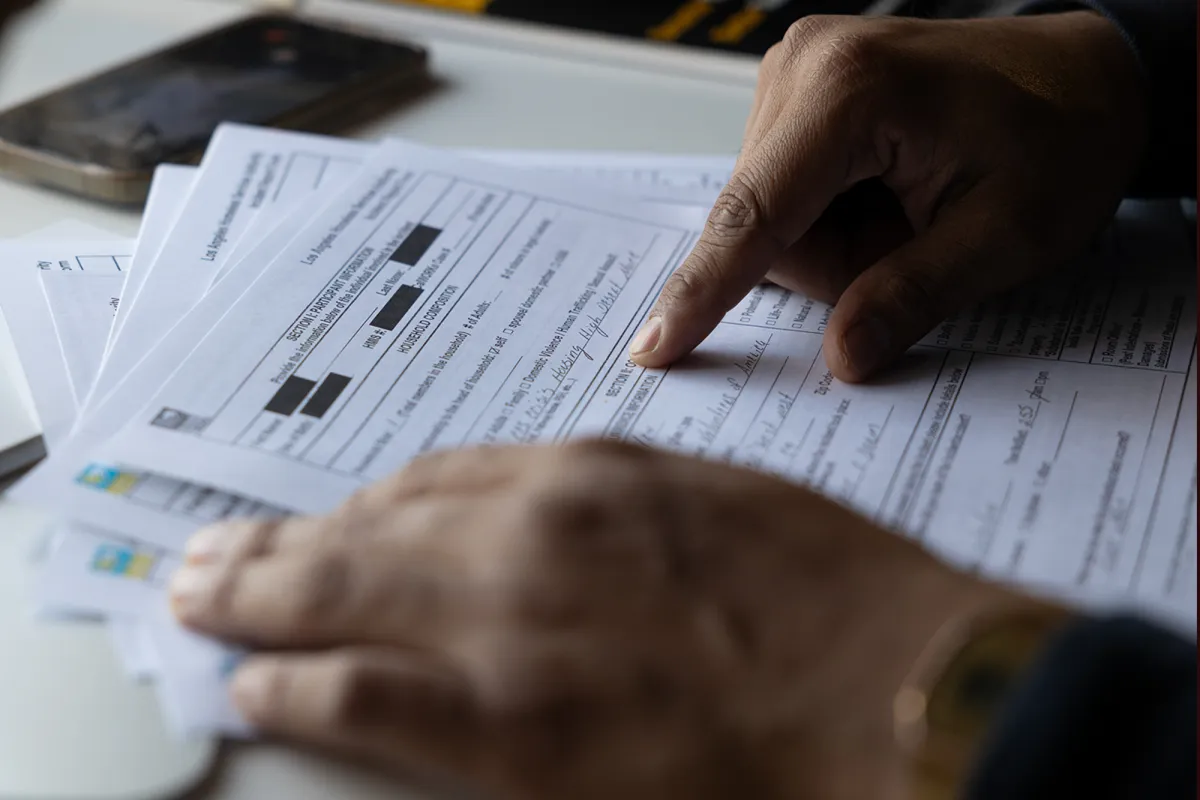
Redact only what you must remove, and keep a clean version for your own records when needed. For paper, use a black marker that covers text and numbers, then physically separate the redacted pages from the unredacted originals so you do not mix them later. For PDFs, use a redaction workflow that removes underlying text, not just the visible layer.
After redaction, run a search inside the PDF for a known identifier you redacted, such as a last name or partial account number. If the search finds matches, the redaction did not remove the hidden text. This extra check takes minutes and prevents the common “redacted but still searchable” failure mode.
If you plan to store redacted copies, keep them in a folder with restricted access and a clear naming convention like “2024-Claim-Redacted.” Versioning matters because a later accidental upload of the unredacted file defeats the purpose.
Choose Secure Disposal Methods
For paper containing personal identifiers, use cross-cut shredding. A strip shredder often leaves long pieces that can be reassembled. If you use a shredding service, confirm the service destroys the material rather than just collecting it, and keep a receipt if you need proof for compliance.
For digital files, deletion should include the right locations. Empty the device trash and also check cloud trash and backup retention settings. Many cloud drives keep deleted items for a period; you need to remove them from trash to reduce exposure. If you use email, delete attachments from the message thread and also review whether you have an archive or backup.
When you dispose of a computer or external drive, follow a wipe method appropriate to the storage type. Solid-state drives and some encrypted drives behave differently than older hard disks, so follow the manufacturer’s guidance. If the drive holds sensitive health or financial data, encryption plus secure wipe reduces risk more than deletion alone.
Educational Case Examples
Health Insurance Claim Pack
An anonymized scenario: a person keeps a folder labeled “Insurance 2021” with claim forms, explanation of benefits (EOB) PDFs, and a few appointment summaries. They sort the folder into “claim support” and “reference only,” then shred paper copies that contain identifiers once they confirm the claim outcome and dates. They keep the EOB PDFs in a secure folder because they may need them for reimbursement questions or appeals within the insurer’s window.
They also check their cloud trash after deleting a duplicate scan. The duplicate still existed in the cloud trash for several days, and the person removed it from trash to reduce exposure. This step matters because deleting from one device does not remove the copy stored elsewhere.
Home Ownership And Warranties
An anonymized scenario: a homeowner has a “House” box with closing documents, appliance manuals, and warranty cards. They keep the closing paperwork and any documents tied to property ownership and tax records, then dispose of manuals after the warranty period ends. For appliances with serial numbers, they redact the serial and model fields before shredding if the manual includes personal purchase details.
They also find scanned PDFs in a “Downloads” folder and move only the warranty-relevant files into a single “Warranties” directory. The rest gets deleted after verifying the same documents exist in the correct folder. This avoids the common situation where the “real” copy lives in a different place.
Checklist For Decision Support
| Document Type | Common Risk If Discarded | Typical Next Step | Disposal Method |
|---|---|---|---|
| Tax forms and filings | Reconstruction during audits or disputes | Keep per local tax retention guidance | Shred only after retention window |
| Health insurance EOBs | Claim questions, appeals, reimbursement proof | Keep claim-related records; review duplicates | Cross-cut shred; delete from trash |
| Receipts with account info | Identity and payment data exposure | Redact identifiers if you discard | Shred; delete scans after verification |
| Warranties and ownership | Proof for repairs or ownership disputes | Keep until warranty ends; keep ownership docs longer | Shred after end date; redact serials |
Use this checklist as a decision aid, not a universal rule. Retention windows differ by country, and some documents fall under multiple categories at once.
Common Mistakes To Avoid
Do not discard documents that you cannot re-create quickly. If a document supports a claim, appeal, or ownership record, keep it until the relevant time window ends. People often underestimate how long disputes can last, then scramble for copies.
Do not rely on a single storage location. A scan on a phone, a PDF in a cloud drive, and an attachment in an email thread can all exist at the same time. Cleanup requires checking each location and confirming duplicates before deletion.
Do not shred without separating sensitive pages. If a stack includes both harmless pages and pages with identifiers, shred the whole stack or separate first. Mixed disposal creates a risk that the sensitive pages end up in recycling or trash.
Do not “redact” by covering text with a marker and then photographing the page for sharing. A photo can capture more detail than you expect, and it can also preserve the covered text in higher resolution. If you share redacted content, use a redaction method that removes the underlying data.
Do not ignore backups. If you use automated backup software, deleted files may still exist in backup snapshots for a period. You can reduce risk by deleting from the source, then checking backup retention settings, which vary by service and configuration.
FAQ
How Long Should I Keep Tax Documents?
Tax retention periods depend on your country and the document type. Use the official guidance from your tax authority and keep records longer when you expect a dispute or carryover deduction.
Can I Throw Away Medical Paperwork After Scanning?
Scanning does not guarantee the copy is complete or searchable, and some records may still matter for claims or appeals. Verify the scan quality and keep the record until you confirm the retention requirements for your situation.
What Is The Safest Way To Shred Old Documents?
Use cross-cut shredding for pages with personal identifiers such as names, account numbers, or medical identifiers. Avoid strip shredding for sensitive documents, and keep a receipt if you use a third-party service.
How Do I Delete Old Files From Cloud Storage Properly?
Delete the file, then remove it from the cloud trash or deleted-items area. Check whether version history or backups retain copies, since deletion from one device does not always remove all stored copies.
Should I Redact PDFs Before Disposing Of Them?
Redact when the PDF contains identifiers you do not want exposed, then verify by searching within the redacted file. Use a redaction workflow that removes underlying text, not just the visible layer.
Author's Insight
Document cleanup works best when you treat retention as a category problem rather than a date problem. Many errors come from hidden dependencies: backups, cloud trash, email attachments, and version history. A careful workflow uses a short inventory, a retention-based sort, and verification steps for scans and redactions.
I do not have access to your jurisdiction’s legal rules, so the safest approach uses official guidance for tax and health-related recordkeeping. When guidance conflicts or you cannot find it, keep records longer and reduce exposure by redacting and using cross-cut shredding.
If you want a practical starting point, pick one folder, process it end-to-end, and record what you learned about where duplicates live. That feedback loop prevents the same mistakes from repeating in the next cleanup cycle.
Key Takeaways
- Sort by document purpose first, then decide disposal based on retention needs rather than age alone.
- Verify scans and redactions; a redacted PDF can still contain searchable underlying text.
- Use cross-cut shredding for paper with identifiers, and delete from cloud trash and other storage locations.
- Check backups and version history before assuming deletion removes exposure.
- Use a monthly review routine tied to real events to avoid shredding records you later need.