Popular Articles
 Accounts
31.10.2026
Accounts
31.10.2026
Email Recovery vs Passkeys: Mapping the Risks
Email recovery and passkeys both aim to restore account access, but they fail in different ways. This article explains how email-based reset flows depend on inbox security, while passkeys depend on device and authenticator trust. It maps common failure points, shows practical setup steps for each method, and includes anonymized scenarios. Readers will learn how to evaluate recovery risk, reduce account takeover exposure, and plan for lost devices without locking themselves out.
 Accounts
27.10.2026
Accounts
27.10.2026
Account Recovery: Which Passkey Failures Matter?
Passkeys reduce password reuse and phishing, but account recovery still breaks when devices, browsers, or identity checks fail. This guide explains which passkey failure modes matter for real users, how recovery flows depend on platform services, and what to do before you get locked out. You’ll learn practical checks, safer backup habits, and how to judge recovery options across common sign-in systems.
 Accounts
23.10.2026
Accounts
23.10.2026
Synced Passkeys vs Device-Bound Passkeys
Passkeys replace passwords using cryptographic keys and device authentication. This guide explains synced passkeys and device-bound passkeys, how each works with browsers and apps, and what breaks when you change phones or lose a device. It helps health-focused readers evaluate login options for patient portals, telehealth accounts, and email-based workflows, and it covers practical recovery steps, common mistakes, and a decision checklist.
 Accounts
18.10.2026
Accounts
18.10.2026
Passkeys After NIST SP 800-63-4: What Changed?
Passkeys are a password replacement that use cryptography and device-bound credentials. This article explains how NIST SP 800-63-4 changed the rules for authentication, what “passkeys” map to in practice, and where deployments still fail. It’s for readers evaluating login options for accounts, work, and health-related services that require strong authentication. You’ll learn the key policy shifts, common implementation pitfalls, and a decision checklist for safer passkey adoption.
 Accounts
11.10.2026
Accounts
11.10.2026
How to Detect Forgotten Accounts From Old Email Data
Forgotten accounts hide in old inboxes: shopping logins, streaming trials, bank alerts, and password resets tied to emails you no longer use. This guide helps you detect those accounts using email search, export logs, and careful verification steps. You’ll learn what signals to look for, how to reduce false matches, how to test access safely, and how to prioritize account recovery without exposing sensitive data.
 Accounts
05.10.2026
Accounts
05.10.2026
Building an Emergency Account-Recovery Plan
When your phone dies or you lose access to email, getting back into a bank or health portal can go from “minor hassle” to full-blown emergency. This guide helps you create an account-recovery plan before you need it, so you’re not scrambling under stress. It explains the most common ways recovery goes wrong—missing backup codes, tied-together accounts, broken two-factor devices, outdated contact info—and the hidden dependencies that cause long delays. You’ll get practical steps for storing recovery codes safely, setting up trusted contacts or secondary authentication methods, testing your backup access, and writing a simple “recovery script” you can read to support teams to speed things up and reduce downtime.
 Accounts
29.09.2026
Accounts
29.09.2026
What To Do With Accounts You Cannot Fully Delete
Accounts sometimes cannot be fully deleted due to legal retention, technical constraints, or vendor policies. This guide explains why deletion fails, what data may remain, and how to reduce exposure when you cannot fully remove an account. You will learn practical steps for deactivation, data access requests, account linking cleanup, payment and identity checks, and documentation habits. The article also covers common mistakes and answers frequent questions for consumers.
 Accounts
23.09.2026
Accounts
23.09.2026
How to Export Credentials Without Losing Passkeys
Passkeys are designed to get you out of the password business by using cryptographic keys tied to your phone, laptop, or synced account—but things can get messy when you upgrade devices. This guide explains, in plain language, what “exporting credentials” actually means in the passkey world, why a backup doesn’t always follow you to a new phone, and how to avoid getting locked out. You’ll get practical, platform-specific steps for the major ecosystems, a simple way to test whether your passkeys are really portable before you wipe or trade in your old device, and a clear recovery plan for the cases where a passkey can’t be transferred at all.
 Accounts
17.09.2026
Accounts
17.09.2026
Credential Managers vs Browser Password Storage
Credential managers and browser password storage both save login details, but they differ in how credentials are encrypted, synced, and shared across devices. This article explains how each approach works, where failures happen, and what to check before trusting autofill. It’s for readers who want safer sign-ins without guessing. You’ll learn practical setup steps, trade-offs for work and personal accounts, and a decision checklist for choosing the right option.
 Accounts
11.09.2026
Accounts
11.09.2026
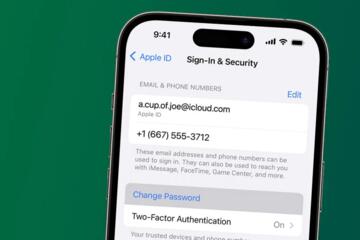
How to Map Every Account to Its Recovery Email
This guide helps you connect each online account to the correct recovery email so password resets and account recovery work when you need them. It explains common setup mistakes, how recovery emails interact with MFA, and what to check across email, password managers, and account settings. You’ll learn a practical mapping workflow, example scenarios, and a checklist to reduce lockouts and misdirected resets.