Annual Renewal Dates
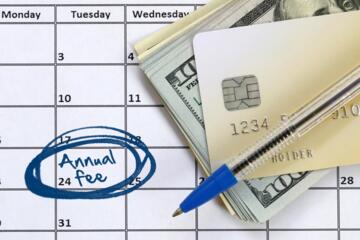
Annual plans usually renew on a fixed calendar date tied to the original purchase, then trigger billing and service rules around that date. Many services also define a cutoff window, such as “renewal attempted X days before the anniversary” or “access may be limited after Y days past due.” If you track only the anniversary, you can still miss the moment when the provider starts retrying payments or applies restrictions.
For example, a plan purchased on March 12 may renew on March 12 each year, but the provider might attempt payment 3–7 days earlier and run retries after the due date. In practice, that means your “renewal date” and your “action date” are not the same thing. I’ve seen people set a reminder for March 12 and then discover the account was already limited on March 9, which feels unfair until you read the billing policy.
To track annual plans reliably, you need three dates: the renewal anniversary, the provider’s payment attempt timing, and any cutoff for service restrictions or cancellation processing. Those details are usually in the contract, the account billing page, or the help center articles tied to your plan.
Common Renewal Pain Points
People often treat renewal as a single event, then get surprised by retries, grace periods, and cutoff rules. A typical misunderstanding is assuming “paid on the anniversary” means “service stays uninterrupted until the anniversary.” In many systems, the provider can restrict access after a failed attempt and then restore access only after a successful payment.
Another frequent issue is dependency on payment method status. Card expirations, bank declines, insufficient funds, and address mismatches can all cause the renewal attempt to fail. Some providers also require 3D Secure or additional verification; if that step fails, the renewal can still be marked unpaid even when you have funds.
Supporting technologies behind the scenes include automated billing schedules, payment gateways, and account state machines that switch between “active,” “past due,” and “restricted.” You rarely see the internal state machine, but you can infer it from emails, account banners, and the timeline of access changes. If you use a password manager and a separate email inbox for billing, you can miss the retry notifications, which is a surprisingly common failure mode.
Finally, cancellation timing gets mishandled. Some plans require cancellation before the renewal cutoff to avoid the next year’s charge, while others allow cancellation but still charge and keep access until the end of the paid term. The wording matters, and the cutoff can be earlier than the anniversary.
How To Track Renewals
Map Dates From Your Terms
Start by locating the plan’s renewal and billing policy text in your account or contract. Look for phrases like “renewal date,” “billing cycle,” “payment attempt,” “grace period,” “past due,” and “cancellation cutoff.” If the policy says payment is attempted “on or around” the renewal date, treat the action date as earlier than the anniversary.
Then create a simple date map: (1) renewal anniversary, (2) earliest payment attempt date, and (3) restriction cutoff date. If the policy provides a number of days, convert it into a calendar date. When the policy is vague, use evidence from prior renewals: check the email timestamps and the first day you saw an account status change. I once reviewed a renewal timeline where the first “payment failed” email arrived 5 days before the anniversary, which matched the provider’s “attempts begin 5 days prior” note.
Set Reminders With Buffer
Use at least two reminders: one for payment-method verification and one for final review. A practical buffer is 7–14 days before the earliest payment attempt, then again 1–3 days before the anniversary. If your provider restricts access quickly after a failed attempt, a 1–3 day reminder can prevent a service interruption.
Tools that work well include a calendar event with an attached checklist, a task app with recurring due dates, and email filters that route billing messages into a “Renewals” label. In Google Calendar, you can add multiple notifications per event; in Microsoft Outlook, you can do the same with reminders. I prefer a checklist-style task because it forces you to verify the payment method and confirm the plan status, not just “wait for renewal.”
Verify Payment Method Early
Update your payment method at least a week before the earliest attempt date. Check not only the card number but also the billing address, country/region, and any required verification steps. If you use a corporate card, confirm whether the card’s spending controls allow recurring charges.
For subscriptions that support multiple payment methods, remove outdated cards so the system cannot fall back to a failing option. Some services try the last-used method first; if that method is expired, the renewal can fail even after you add a new card. A quick test is to make a small change to the subscription settings and watch whether the account shows the updated payment method as the default.
Plan For Cutoffs And Grace
Read the policy for what happens after a failed renewal attempt. Some providers offer a grace period where the account remains active while payment retries continue; others restrict access after a short delay. If the policy states “access may be limited,” treat that as a cutoff risk rather than a minor inconvenience.
When you see a “past due” status, act immediately: update payment details, confirm bank approvals, and respond to any verification prompts. If you miss the cutoff, you may still be able to restore service after payment, but the provider may also charge late fees or require reactivation steps. Keep screenshots or saved emails showing the status change timeline; disputes are easier when you can point to dates.
Case Examples For Real Life
Scenario 1: Individual plan with card expiration. Jordan’s annual plan renews on September 18. The provider’s policy states payment attempts begin 7 days prior and access can be limited after the due date. Jordan sets a reminder for September 18, but the card expires on September 10. On September 11, the account shows “payment failed,” and access is limited on September 18. Jordan fixes the payment method on September 19 and regains full access after the next successful billing attempt.
Scenario 2: Small team plan with cancellation cutoff. A small business subscribes to an annual service purchased on January 5. The contract says cancellation must be submitted at least 3 days before the renewal date to avoid the next charge. The owner submits cancellation on January 3 but receives a confirmation email that still shows the next renewal charge scheduled for January 5. After checking the policy again, the owner finds the cutoff is “3 business days,” not calendar days. The team keeps access for the paid year and updates their calendar reminders to use business-day buffers next time.
Renewal Checklist And Table
| Step | What To Check | When | Outcome |
|---|---|---|---|
| 1. Read policy | Renewal date, payment attempt timing, cutoff/grace rules | Once per plan, then after any contract change | You know the action date, not only the anniversary |
| 2. Verify payment | Card validity, billing address, verification prompts | 7–14 days before earliest attempt | Renewal attempt uses a working method |
| 3. Set reminders | Buffer reminders for payment review and final check | Recurring annually | You act before restrictions start |
| 4. Track status | Account banners, “past due” emails, retry notifications | From earliest attempt through cutoff | You respond within the retry window |
Step-by-step checklist (quick version):
- Find the renewal anniversary in your account billing page.
- Find the earliest payment attempt date and any cutoff/grace period in the plan terms.
- Set two calendar reminders: one 7–14 days before the earliest attempt, one 1–3 days before the anniversary.
- Verify the default payment method and billing address; remove expired cards.
- During the attempt window, monitor account status and billing emails in the same inbox you check daily.
- If you plan to cancel, submit the request before the stated cutoff, using business-day rules if the policy uses them.
Common Mistakes To Avoid
One mistake is relying on a single reminder tied to the anniversary date. If the provider attempts payment earlier, the account can change state before your reminder triggers, and you lose the chance to fix a payment method in time.
Another mistake is ignoring “default payment method” behavior. Some systems keep trying the last-used method even after you add a new card, which leads to repeated failures. A quick check on the billing page before the attempt window prevents that.
People also miss cutoff definitions. “3 days before renewal” can mean calendar days or business days, and weekends and holidays can shift the deadline. When you cancel, save the confirmation email and note the timestamp; support teams often ask for it.
Finally, some readers assume that a renewal charge means service will remain active. Charges can process while access is still restricted due to verification failures or account-level issues. Checking the account status banner after the charge posts prevents confusion later.
FAQ
How Do I Find My Renewal Date?
Check your account’s billing or subscription page for the “next renewal” or “renewal date” field. If the page shows only the billing cycle start date, use the original purchase date and confirm with any renewal emails you received previously.
What Is A Renewal Cutoff?
A renewal cutoff is the latest time you can cancel or change the plan before the provider processes the next annual renewal. The cutoff can be expressed in calendar days or business days, and it often comes before the anniversary.
Why Did My Renewal Fail If Funds Were Available?
Common causes include expired cards, bank declines, missing billing address details, or failed verification steps like 3D Secure. Some providers also retry using the default payment method only, so a newly added card may not be used automatically.
How Long Is The Grace Period After A Failed Payment?
Grace period length depends on the provider’s policy and the plan type. Look for terms describing “past due,” “restricted access,” and retry timing; if the policy does not state a number, review prior renewal emails and account status changes.
Can I Cancel After The Renewal Charge?
Many services still charge for the next term but keep access until the end of the paid period. The contract usually states whether cancellation stops future renewals or also affects the current term.
Author's Insight
Annual plan renewals behave like scheduled billing jobs plus an account status workflow. The practical risk comes from the gap between the anniversary date and the provider’s payment attempt and restriction timing. A reliable tracking system maps those dates from the plan terms, then adds reminders with a buffer that covers payment retries and verification steps.
When terms are unclear, evidence from prior renewals—email timestamps, account status changes, and the first day access was limited—often clarifies the real cutoff behavior. I’d rather see readers build a repeatable checklist than rely on memory, because renewal failures cluster around predictable causes like expired cards and missed cutoff definitions.
Key Takeaways
- Track three dates: renewal anniversary, earliest payment attempt, and any restriction or cancellation cutoff.
- Use two reminders with buffer time, not a single anniversary alert.
- Verify the default payment method and billing address before the attempt window starts.
- Monitor account status and billing emails during the attempt window, especially if access can be limited after a failed payment.
- When canceling, follow the policy’s cutoff definition, including business-day rules, and save confirmation timestamps.