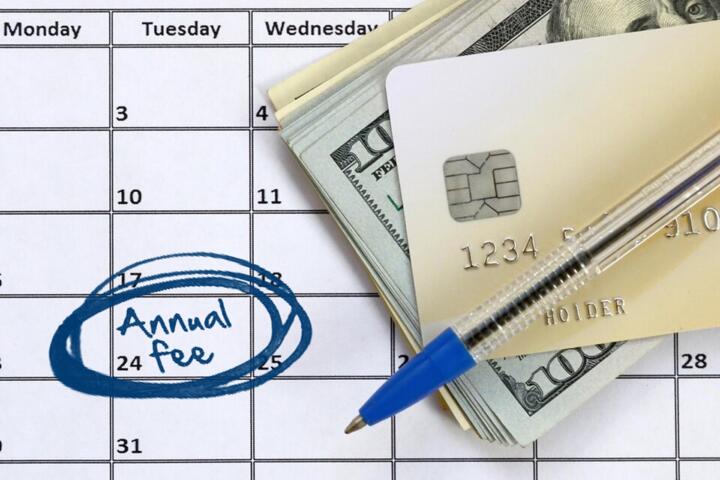
Annual Plans, Monthly View
Tracking an annual plan with a monthly cash-flow view means translating yearly costs into monthly targets and then reconciling the plan against real payments as they occur. This approach helps you avoid the common trap where you “budget the year” but still run short in a specific month. For example, a $1,200 annual insurance premium can be treated as $100 per month in your planning, even if the insurer bills once per year. When the actual payment date arrives, you compare the planned reserve against the cash you set aside.
Start by listing each annual item and its payment pattern: paid once per year, split into installments, or billed monthly but priced as an annual contract. Then record the month you expect the cash to leave your account. If the plan renews automatically, note the renewal month and any grace period terms from the contract, since those details affect when money actually moves. I often see people track the amount but not the timing, which is where the cash-flow mismatch begins.
Next, decide what “tracking” means for you: a monthly reserve balance, a monthly spending limit, or a calendar of expected outflows. A reserve balance works well when you want to prevent surprise shortfalls. A spending limit works well when you need to cap discretionary spending while annual bills accumulate. A calendar works well when you have multiple annual items with different renewal months, and you want to see the cluster months before they happen.
Main Problems And Pain Points
People often convert annual costs into monthly amounts but skip the reconciliation step, so the plan drifts away from reality. If you treat a yearly bill as $X per month and never check your bank statements, you may miss a fee, a price change, or a payment timing shift. That drift becomes visible only when the annual charge hits, which is late for course correction.
Another frequent issue is mixing “budgeted” and “available” cash. Budgeted cash is what your spreadsheet says you should have; available cash is what your account actually shows after pending transactions. Many budgeting tools show balances that lag behind card authorizations or bank holds, and those timing differences can make you think you’re safe when you’re not. I’ve seen this happen around month-end when recurring charges post a day or two later than expected.
Annual plans also hide secondary costs. Insurance, memberships, and healthcare-related plans can include deductibles, co-pays, administrative fees, or add-on services that do not appear in the annual premium. If you only track the headline annual amount, your monthly cash-flow view can look stable while out-of-plan expenses quietly rise. Supporting technologies matter here: bank transaction feeds, payment calendars, and invoice storage determine whether you notice those add-ons early.
Finally, automatic renewals create a dependency on contract terms and on your payment method. If a card expires, a bank account changes, or a provider updates billing rules, the renewal can fail or shift. That shift changes cash timing and can trigger late fees. The cash-flow model needs a “what if renewal fails” branch, even if you hope it never happens.
Solutions And Advice
Convert Annual Costs To Monthly
For each annual item, compute a monthly target by dividing the annual amount by 12. Keep the math simple and document the source amount (invoice, contract, or renewal notice). If the plan is billed once per year, treat the monthly target as a reserve contribution. If the plan is billed in installments, you can still track a monthly target, but reconcile it against the actual installment schedule.
Use a consistent rounding rule. For example, if the annual amount is $999, dividing by 12 gives $83.25. You can round to $83.25 and keep cents in your spreadsheet, or round to $83 and track the remainder as a “true-up” line item. I prefer keeping cents because it reduces end-of-year surprises, and Excel 365 handles the arithmetic cleanly (I used version 2408 for a similar workflow on a personal budget last year).
Build A Reserve And Reconcile
Create a reserve account in your spreadsheet for each annual plan, or one combined reserve with separate lines. Each month, add the monthly target to the reserve. When the actual payment posts, record the payment amount and compare it to the reserve balance. If the payment differs, adjust the next month’s contribution so the reserve returns to the expected level.
Reconciliation should happen at least monthly, not only after the annual charge. A practical cadence is: review bank transactions on the first weekend of the month, update your “expected vs. actual” table, then check upcoming renewal months. This catches price changes early. If you use a budgeting app that imports transactions, verify that it maps the right merchant names; merchant matching errors are common and they quietly break your tracking.
Use A Payment Calendar With Buffers
Make a calendar of expected outflow months for each annual plan. Add a buffer for timing uncertainty, especially for charges that depend on renewal processing. A buffer of 3–7 days is often enough for card-based billing, while bank transfers can take longer depending on the provider. If you pay by ACH, check whether the provider uses standard ACH or same-day rails; the posting date can differ from the initiation date.
When you plan cash-flow, treat the buffer as a risk margin. If your reserve is tight, the buffer prevents a “technically planned but practically late” shortfall. This is where people get frustrated, because the spreadsheet looks fine until a payment posts earlier than the calendar predicted.
Track Add-Ons Separately From Premiums
Separate predictable annual premiums from variable annual costs. For healthcare-related plans, track deductibles, co-pays, and out-of-pocket maximums as separate lines if you can estimate them. For memberships, track add-ons like event fees or upgrades. If you cannot estimate variable costs, use a conservative placeholder based on the last 6–12 months of actuals, then update after each quarter.
Keep the variable-cost line from contaminating your premium reserve. Premium reserve is for the contract amount; variable line is for usage. This separation makes your monthly cash-flow view more honest and helps you decide whether a shortfall comes from the plan price or from spending behavior.
Case Examples
Insurance Renewal With One-Time Billing
Scenario: A household has a $1,440 annual insurance premium billed once in March. They set a monthly target of $120 to build a March reserve. In January, they notice a renewal notice showing the premium increased to $1,500. They update the annual amount, which changes the monthly target to $125, and they keep reconciling the reserve balance each month.
In March, the insurer charges $1,500. The reserve balance before payment is $1,495 because of rounding and timing. They record a $5 true-up and keep the next year’s monthly target at $125. The key learning is that the monthly target changed when the renewal notice arrived, not when the March payment posted.
Membership With Installments And Add-Ons
Scenario: A person pays an annual membership priced at $600, but the provider bills $50 each month. They still track it as an annual plan because the contract renews every January and includes a $25 annual admin fee that appears on the first invoice. They set a monthly target of $50 for the membership and a separate annual reserve line for the $25 admin fee, divided into $2.08 per month.
When the January invoice arrives, the membership charge posts as expected, and the admin fee appears as a separate line. The reserve for the admin fee is reconciled immediately, while the membership reserve stays aligned with the monthly billing. This separation prevents the admin fee from creating a recurring “mystery” expense in later months.
Comparison Table And Checklist
| Method | Best For | Main Risk | What To Check |
|---|---|---|---|
| Monthly Reserve | One-time annual bills | Price changes not updated | Expected vs. actual at payment time |
| Calendar-First | Multiple renewal months | Posting dates differ from initiation | Buffer days and bank posting behavior |
| Installment Reconciliation | Monthly billing under annual contract | Merchant mapping errors | Transaction categories and merchant names |
Step-by-step checklist you can run each month:
- List upcoming annual payments for the next 60–90 days and note the expected posting month.
- Update monthly targets if you received renewal notices or invoices with changed amounts.
- Review your bank transactions for the last month and mark each annual plan payment as matched or unmatched.
- Reconcile reserve balances: planned contribution totals vs. actual payments.
- Separate variable add-ons from premium reserves so you can diagnose the source of any shortfall.
- Adjust next month’s contribution only after you confirm the actual posted amount.
Common Mistakes
One mistake is dividing the annual amount by 12 and then treating the result as the amount that will always be charged each month. That fails for one-time billing, annual admin fees, and renewals that shift to a different month. Another mistake is ignoring the difference between invoice date and payment posting date, which can cause a false “cash deficit” on the day you check your balance.
People also overwrite historical data when they update a plan. If you change the annual amount in the spreadsheet without preserving the prior target, you lose the ability to explain why the reserve ended up short or why the cash-flow curve changed. Keep a change log with the date you updated the annual figure, since renewal notices arrive at specific times.
Another common error is mixing annual plan tracking with discretionary spending in the same bucket. When you do that, you cannot tell whether a shortfall came from the plan itself or from spending behavior. A mild frustration shows up when the spreadsheet blames “the plan” for a problem caused by a separate category, like dining or travel.
Finally, some people rely on a single data source. If you depend only on an imported transaction feed, you can miss a charge that posts under a different merchant name or a fee that appears on a statement PDF. Cross-checking once per quarter against invoices or statements reduces that risk.
FAQ
How Do I Convert Annual Bills To Monthly Targets?
Divide the annual amount by 12 to create a monthly target, then reconcile when the actual payment posts. If the annual amount changes mid-year, update the target from the month you receive the new invoice or renewal notice.
What If My Annual Plan Is Billed Once Per Year?
Use a reserve approach: add the monthly target to a reserve line each month, then subtract the actual annual payment when it posts. Keep a small buffer for timing differences between invoice date and posting date.
How Do I Handle Automatic Renewals?
Record the renewal month and check the contract for grace periods and cancellation cutoffs. When you receive a renewal notice, update the annual amount and adjust monthly targets before the renewal charge posts.
Should I Track Add-On Fees Separately?
Yes. Track predictable premiums separately from variable add-ons like admin fees, usage charges, or co-pays so you can identify the true driver of any cash-flow shortfall.
Which Tool Works Best For This Tracking?
A spreadsheet or budgeting app works if it supports monthly reserve lines and lets you reconcile against posted transactions. Whichever tool you use, verify merchant matching and review statements at least quarterly.
Author's Insight
Monthly cash-flow tracking for annual plans works when the model separates timing, amount, and variability. Amount comes from invoices or renewal notices; timing comes from posting dates; variability comes from add-ons and usage. When those three elements stay distinct, reconciliation becomes a routine check rather than a year-end surprise.
If you want a practical starting point, create one table with columns for plan name, annual amount, monthly target, expected posting month, and reserve balance. Then add a second table for actual payments so you can compare planned versus actual without rewriting history.
Some details depend on provider billing behavior, and those behaviors vary by payment method and contract terms. If you cannot confirm a provider’s posting schedule, use a buffer and reconcile more frequently during the renewal window.
Key Takeaways
- Translate annual costs into monthly targets, then reconcile against actual posted payments.
- Track timing separately from amount so renewal month clustering does not surprise your cash balance.
- Maintain a reserve for premiums and separate lines for add-ons or variable usage.
- Update monthly targets when renewal notices change the annual amount, not when the charge posts.
- Run a monthly review and a quarterly statement cross-check to catch merchant mapping errors and hidden fees.