Proof Of Purchase Basics
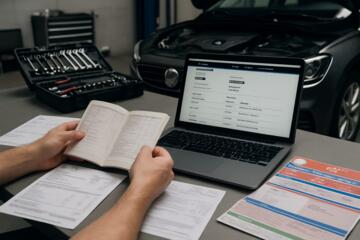
Proof of purchase is the document trail that ties a vehicle to a specific sale date, seller, and often a VIN or order number. Warranty teams use that trail to confirm eligibility before they review coverage terms. For car owners, the practical goal is simple: you want a claim reviewer to verify your purchase details in minutes, not days.
In many warranty workflows, the proof package includes a sales receipt, purchase agreement, lease contract, or dealer invoice copy. Some manufacturers also accept a registration record or a service contract confirmation letter. If you bought a car online, the proof may include an order confirmation plus a paid invoice. If you financed through a lender, the lender statement usually shows payment status but rarely replaces a dealer receipt for warranty eligibility.
Common Proof Problems
People often submit screenshots that lose key details, like the dealer name, transaction ID, or itemized purchase date. A photo of a receipt taken at an angle can blur the VIN or the total amount, and warranty administrators may reject it as “not legible.” Another frequent issue is mismatched dates: the receipt shows one date, while the warranty system expects the delivery date or first in-service date.
Warranty eligibility also depends on supporting technologies and records. The VIN is the primary identifier, but the claim system may also use internal campaign codes, service history links, or retailer identifiers. If you bought from a dealer, the dealer’s internal sales system may have the VIN and delivery timestamp; if you bought from a private party, the warranty administrator may require a transfer document or a bill of sale that includes the VIN.
Some warranties start at delivery, others start at purchase, and some use the earlier of two dates. That rule varies by manufacturer and by warranty type, such as powertrain versus bumper-to-bumper. If your proof package only shows the purchase date and not the delivery date, the reviewer may still proceed, but you can expect extra clarification requests, which is where stress comes from.
There is also a practical dependency on how you submit. Many portals accept JPEG or PDF files with size limits, and they may reject files that exceed a certain megabyte threshold. I once saw a portal reject a 12 MB PDF because the upload limit was 10 MB; the form still looked “ready,” which was annoying and not obvious until the error message appeared.
How To Submit Correctly
Build A Proof Packet
Create a single folder with a clear naming scheme: VIN_Last6_PurchaseProof_YYYY-MM-DD. Include the receipt or contract that shows the seller, purchase or delivery date, and VIN or vehicle identification details. If your receipt does not list the VIN, add a separate document that does, such as the buyer’s order, the registration confirmation, or the purchase agreement page that includes the VIN.
Scan at a readable resolution. A common target is 300 dpi for text documents, and you want the smallest text to remain legible when zoomed to 100%. If you use a phone scanner app, check the output file type and size before uploading. On my test device (iPhone iOS 17.5 with a common scanner app), the default “Document” mode produced sharper text than “Photo” mode for receipts, which matters when warranty reviewers zoom in.
Keep a second copy in cloud storage and a third on your computer. If a portal fails mid-upload, you do not want to rescan under time pressure. If you have a paper receipt, store it flat in a folder; creases can make barcodes and transaction IDs harder to read.
Match Dates And Coverage
Before you submit, compare the warranty start date rules in your warranty booklet or owner’s portal. Look for language that references “in-service date,” “delivery date,” or “date of purchase.” Then align your proof packet to that rule. If your receipt shows purchase date but your warranty booklet uses in-service date, add a document that shows first service or delivery, such as a dealer delivery checklist or registration record.
Include mileage at the time of failure. Many claim forms ask for odometer reading, and reviewers use it to confirm the claim falls within the mileage limit. If you have service records, include the repair order number from the shop that diagnosed the issue. A diagnosis without mileage context can slow the review because the claim team must request additional details.
When you fill the form, enter the VIN exactly as printed on the vehicle documents. Avoid transcribing errors by copying from the receipt PDF. If the portal has a VIN auto-check, use it; if it does not, double-check the last six characters against your registration.
Use The Right Submission Channel
Warranty claims often route through a dealer, an authorized service center, or a manufacturer portal. If you submit through a portal, follow the file requirements: supported formats, maximum file size, and required fields. If the portal asks for “proof of purchase” and “proof of ownership,” do not assume one document covers both; include both if you have them.
If you are working with a repair shop, ask them what they need from you before they submit. Some shops handle the claim submission and only need your proof packet for eligibility checks. Others submit only the estimate and wait for the owner to upload documents. A short email to the service advisor can prevent a week of delays, especially when the shop is waiting on a missing VIN page.
Keep a record of what you submitted: the claim number, the date/time, and the confirmation email. If you submit on a portal, capture the confirmation screen or download the submission receipt. I have seen portals that generate a claim number but do not send an email immediately; a local screenshot saved the day.
Case Examples For Clarity
Example 1: Dealer purchase with a blurred receipt. A buyer submitted a phone photo of a receipt where the dealer name and transaction ID were unreadable. The warranty portal returned a rejection message after the upload, and the claim stalled for about a week while the buyer rescanned. The fix was resubmitting a PDF scan from the dealer’s reissued buyer’s order, which included the VIN and delivery date. The claim then moved to coverage review without additional date questions.
Example 2: Lease purchase with mismatched dates. A lessee filed a claim using the lease signing date from the contract, but the warranty booklet started coverage at the in-service date. The reviewer asked for a delivery or first-service document. The lessee provided the dealer delivery checklist showing the in-service date and mileage at delivery. After that, the claim team confirmed eligibility and proceeded with the repair authorization.
Proof Submission Checklist
| Step | What To Gather | Where It Helps | Common Failure Mode |
|---|---|---|---|
| 1. Identify VIN | VIN from receipt, buyer’s order, or registration | Eligibility lookup in the claim system | Transcription error in the last digits |
| 2. Capture purchase proof | Receipt, purchase agreement, or lease contract page | Start date verification | Blurred text or missing transaction ID |
| 3. Align start date | Delivery checklist or in-service document if needed | Matches warranty booklet rules | Using signing date when coverage uses in-service date |
| 4. Add failure context | Odometer reading, diagnosis/repair order number | Confirms mileage limits and scope | Missing mileage or no diagnostic reference |
| 5. Submit and record | Claim number, confirmation email, submission date | Follow-up tracking | No confirmation record after upload |
Common Mistakes To Avoid
Submitting only a payment confirmation email often fails because it does not show the vehicle identifiers and delivery timing. A payment receipt without VIN linkage forces the reviewer to request additional documents. If you have a dealer invoice, use it as the primary proof rather than a bank transaction record.
Another mistake is mixing documents from different vehicles. People sometimes keep multiple receipts in the same folder and upload the wrong PDF. The claim system may still accept the VIN field you typed, but the proof document mismatch triggers manual review. Label your files with the VIN last six characters to reduce that risk.
Some owners crop receipts to “just the totals,” which removes the dealer name and transaction ID. Warranty reviewers need those fields to validate the purchase record. If you must crop for readability, keep the dealer header, date, and transaction ID in frame.
Finally, waiting until the repair shop has already ordered parts can create avoidable delays. Many shops can start diagnosis while you gather proof, but authorization often depends on claim approval. Ask the service advisor what stage requires proof of purchase and upload documents before the shop submits the authorization request.
FAQ
What counts as proof of purchase?
A sales receipt, purchase agreement, lease contract, or dealer invoice copy that shows the seller, the vehicle identifiers (often VIN), and the relevant purchase or delivery date typically counts. Warranty administrators may accept registration documents as supporting evidence when the primary receipt is missing.
Can I use a bank statement instead of a receipt?
A bank statement can support payment timing, but it usually does not replace a dealer or seller document that ties the transaction to the VIN and vehicle delivery details. If the warranty requires a specific document type, request an accepted alternative from the administrator.
What if my receipt is missing or unreadable?
Contact the original seller or dealer for a reissued buyer’s order or sales contract copy tied to your VIN. If the seller cannot retrieve it, provide secondary documents that show ownership and date, and ask the warranty administrator which alternatives they accept.
How do I handle mismatched dates on documents?
Check the warranty booklet for the start rule that uses in-service date, delivery date, or purchase date. Then submit the document that matches that rule, such as a delivery checklist when the warranty uses in-service timing.
Where do I upload proof for a warranty claim?
Use the channel specified by the warranty administrator: a manufacturer portal, an authorized service center’s claim workflow, or a dealer submission process. Save the claim number and confirmation record so you can follow up if the portal upload fails.
Author's Insight
Proof of purchase is a document-matching problem more than a paperwork problem. Warranty systems rely on VIN-linked records and date rules that vary by warranty type, so the best submission aligns your documents to the warranty start definition. When receipts are missing, the fastest path usually starts with the original seller’s reissue process tied to the VIN. If you submit through a portal, file legibility and upload limits often drive delays more than coverage disputes. A careful checklist and a confirmation record reduce the number of manual review loops.
Key Takeaways
Use a VIN-linked receipt or contract that shows the relevant purchase or delivery timing. Scan for legibility and keep file names tied to the VIN to prevent mix-ups. Match the warranty start date rule in your warranty booklet, then add mileage and diagnosis references so reviewers can verify eligibility without follow-up requests. If paperwork is missing, request a reissued buyer’s order from the seller early and ask the administrator which alternatives they accept.