Topic Introduction
A monthly bill review routine is a repeatable process for comparing what you expected to pay with what you actually paid, then correcting mismatches while they are still small. The routine works best when you treat bills as data: each charge has a date, a merchant, a category, and a recurring or one-time pattern. For example, a phone plan might charge on the 12th, while a streaming bundle might renew on the 1st, and a utility bill might arrive mid-month with a variable amount. When you review on a fixed schedule, you stop surprises from clustering at the end of the month.
Start with a simple definition of “budget fit”: bills that are planned and stable should match your forecast, while variable bills should land within a reasonable range. That range can be based on last year’s seasonality for utilities or on your typical usage for services. If you use a spreadsheet, you can store the last 12 months of amounts and compute a quick average and high/low band. If you prefer apps, you can still extract the same fields from bank transactions and card statements, then tag recurring merchants.
Main Problems Or Pain Points
Budget drift usually comes from small billing changes that do not look dramatic in isolation. A subscription price increase, an extra line on a family plan, or a utility rate adjustment can each be minor, yet the total can compound over a year. People often notice only after the month feels “off,” which delays correction and makes the next month’s forecast less accurate.
Another common issue is mixing categories. Rent and mortgage payments are straightforward, but “fees” often hide inside statements: ATM fees, card replacement charges, overdraft protection transfers, and service fees from payment processors. If you only look at totals, you miss the mechanism that caused the change. Supporting technologies matter here: bank transaction feeds, card issuer statements, and merchant portals each label charges differently, so the same expense can appear under different names across systems.
Recurring charges also create a dependency chain. A subscription might be billed through a payment wallet, then routed to a merchant descriptor that changes over time. Utilities can split charges into multiple line items—delivery, usage, taxes, and regulatory fees—so a single “amount due” number may not explain the variance. Even when you use budgeting software, you still need a source of truth for amounts, usually the issuer statement or the utility’s billing history.
Finally, people often review at the wrong time relative to billing cycles. If you review before a statement closes, you may compare incomplete data. If you review after you already paid everything, you can still catch errors, but you lose the chance to stop a renewal or cancel a service before the next charge posts.
Solutions And Advice
Set A Fixed Review Window
Pick one date each month and treat it like a recurring task. A practical cadence is: check pending transactions on the 1st–3rd, then confirm settled charges after your card statement closes. Use a calendar reminder that includes the exact steps, not just the reminder title. If you have multiple accounts, schedule a second reminder for the utility and insurance portals that do not always appear in bank feeds.
For outcomes, aim to catch at least one mismatch per month, even if it is small. That might be a duplicate charge, a forgotten trial converting to a paid plan, or a utility bill that spiked due to a usage change. If you never find anything, the routine may be too shallow—most people have at least one recurring item that needs re-checking.
As a minor aside, I’ve seen budgeting spreadsheets break when people copy old rows without updating the “expected amount” column. Versioning helps: label your sheet “Budget Review v3.2” and keep a change log so you can tell whether a mismatch is real or a template error.
Compare Expected Vs Actual
Build a “bill ledger” with four fields for each recurring item: expected amount, expected date (or billing window), payment source (card, bank account, direct debit), and cancellation or review date. Then compare it to the actual transaction amount and posting date. When a charge differs, record the delta and the reason if you can find it in the merchant portal or statement description.
Use realistic thresholds so you do not chase noise. For stable bills like rent, a mismatch of even a few dollars can matter, so investigate quickly. For variable bills like electricity, set a band based on the last 6–12 months; if the bill lands outside the band, check usage and rate changes. If you cannot find a reason within 10–15 minutes, pause and gather evidence before contacting support.
Tool-wise, many people start with their bank’s transaction export (CSV) and a simple filter for recurring merchants. Some issuers also provide “recurring payments” reports; the labels vary by country and issuer, so treat them as a lead list rather than the final answer. On my own side, I’ve used a local script to group transactions by merchant descriptor, but the key is still the same: match by merchant and date, then verify in the statement.
Track Subscriptions And Fees
Subscriptions are where budgets quietly leak. Create a list of every recurring merchant you pay, then tag each as “cancel anytime,” “contracted,” or “variable.” For each subscription, store the renewal date and the last known price. When you review monthly, check whether the renewal date changed and whether the amount matches the last price.
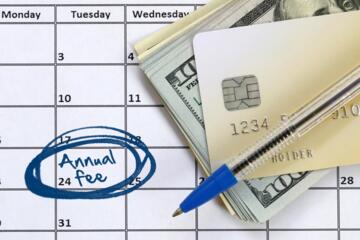
Fees deserve separate attention because they often appear as one-off transactions. Scan for categories like “service fee,” “interest,” “foreign transaction,” “ATM,” and “chargeback.” If you use a credit card, also check for annual fees and plan changes that can post mid-cycle. A mild frustration is common here: transaction feeds sometimes label the same merchant differently across months, so you may need to normalize names using the statement descriptor.
For a realistic outcome, aim to reduce subscription count by one or two items per quarter, not per week. That pace prevents over-canceling and keeps you from missing a service you still use. If you cancel, record the cancellation confirmation date and keep a screenshot or email for dispute windows.
Case Examples
Example 1: Subscription creep with a price change
A reader reviews on the 2nd weekend and notices a streaming service charged $17.99 instead of the expected $14.99. The transaction descriptor matches the same merchant, but the amount differs. In the merchant account page, the reader finds a “plan update” notice dated two weeks earlier. The reader updates the expected amount in the bill ledger and decides whether to downgrade before the next renewal date.
Example 2: Utility variance tied to usage and rate
A reader compares last year’s summer electricity bills and sees this month’s bill is 28% higher than the 6-month average. The bill ledger flags the variance because it exceeds the pre-set band. The utility portal shows both a higher usage amount and a rate adjustment for the current period. The reader adjusts the forecast for the next month and sets a reminder to re-check after the next meter read, rather than assuming a billing error.
Comparison Table Or Checklist
| Review Method | Best For | Time Per Month | Main Risk |
|---|---|---|---|
| Bank/Card Transaction Scan | Catching unexpected charges and fees | 20–40 minutes | Merchant names change, so matches can be missed |
| Portal-by-Portal Check | Utilities, insurance, telecom accuracy | 30–60 minutes | You may overlook card-based subscriptions |
| Ledger Compare (Expected Vs Actual) | Stable budgeting and variance tracking | 25–45 minutes | Bad expected amounts create false alarms |
Step-by-step checklist for the ledger compare method:
- Open your bill ledger and sort by payment date.
- Confirm pending charges for the first 3–5 days of the month.
- After statement close, match each ledger line item to the settled transaction.
- Record deltas and tag them as “expected variance,” “possible error,” or “unknown.”
- For “possible error,” gather evidence and contact the merchant within the dispute window.
- For “unknown,” check the merchant portal for billing history and rate/plan changes.
- Update expected amounts and set a reminder for the next review date.
Common Mistakes
People often review totals instead of line items. A total that stays similar can still hide a fee swap, a plan downgrade that did not happen, or a new charge that offsets another reduction. Line-item review also helps you separate “usage changed” from “billing changed.”
Another mistake is canceling without recording proof. If a service renews after you cancel, you need a timestamped confirmation to dispute the charge. Keep the cancellation email, the portal confirmation page, or a ticket number from customer support. Without that, the dispute becomes a back-and-forth that consumes time and may fail.
Some readers chase every variance immediately, which turns the routine into stress. Variable bills need bands and context; electricity and internet can change due to usage, billing period length, or rate adjustments. If you investigate everything, you may miss the one true error because you are already tired.
FAQ
How Do I Find Recurring Charges?
Start with your card issuer’s “recurring payments” or transaction search for repeating merchant names, then confirm each item in the merchant account portal. Bank transaction feeds can rename merchants, so verify the renewal date and billing amount in the service’s billing history.
What Date Should I Review Bills?
Review early enough to act before renewals post, then confirm after your statement closes. A common pattern is checking pending charges on the 1st–3rd and confirming settled amounts a few days later.
How Long Should I Keep Billing Records?
Keep statements and cancellation confirmations at least through the dispute window used by your card issuer or payment method. If you are unsure, store them for 6–12 months, since many billing issues surface after a few cycles.
What If My Utility Bill Spikes?
Check the utility portal for usage changes, rate adjustments, and billing period length. If the bill falls outside your expected band and the portal does not explain it, contact the utility with the bill number and meter read details.
Can I Use Budget Apps Instead Of a Ledger?
Yes, but treat the app as a view, not the source of truth. Export or verify amounts against statements and portals so you can correct mismatches and update expectations.
Author's Insight
A monthly bill review routine works because it turns billing into a measurable comparison: expected amount and date versus actual posting. The routine’s reliability depends on the quality of your bill ledger and on using statements or billing portals as the final reference for amounts. When people skip the evidence step, disputes become harder, so the routine should include a place to store cancellation confirmations and billing history screenshots. If you want a low-friction start, begin with your top 10 recurring charges and one variable bill, then expand after two or three cycles.
Key Takeaways
- Pick a fixed review window and match ledger expectations to settled transactions, not just totals.
- Track subscriptions and fees separately so small price changes do not hide inside category totals.
- Use variance bands for variable bills and investigate only when the bill exceeds the band without a clear portal explanation.
- Dispute errors with evidence and timelines, and update the ledger after resolution to prevent repeat confusion.