High-Value Evidence Basics
High-value items in health contexts include prescriptions with refills, durable medical equipment, specialty medications, lab tests, and medical devices that affect ongoing care. Extra evidence means more than the item itself; it is the trail that shows what you received, when you received it, and under what terms. For example, a pharmacy bag label alone rarely proves the exact drug strength, while a prescription record plus the dispensing receipt usually does. A device purchase receipt without serial number details can slow troubleshooting later, especially when a recall notice arrives.
People often store the obvious documents and discard the rest, then discover the missing piece during a claim, prior authorization, or clinical follow-up. The goal is not to hoard everything; it is to keep proof that survives common failure modes like lost refills, mismatched doses, or unclear device settings. If you have ever tried to reconstruct a medication history from memory, you already know how quickly details drift.
Common Evidence Gaps
One frequent mistake is saving only a single artifact from a transaction. A claim dispute often hinges on multiple fields: date of service, product or drug identifier, quantity, and payer rules. If you keep only an email confirmation, you may miss the dispensing details that appear on the receipt or the pharmacy’s transaction record.
Another gap involves “version drift” in records. Lab portals and clinician notes can update after the initial result release, and the file you downloaded on day one may not match the final report. This matters when you later need to show the result that triggered a treatment decision, not the later corrected wording. I have seen people save screenshots without the report timestamp, which makes the evidence weaker than it looks.
Supporting technologies also create dependencies. Many health systems rely on pharmacy benefit managers, electronic prior authorization workflows, and device firmware logs. Your paper trail may need to connect to those systems through identifiers like NDC codes for drugs, lot numbers for supplies, or serial numbers for equipment. When those identifiers are missing, clinicians and insurers spend time asking for re-verification.
Finally, people confuse “proof of purchase” with “proof of clinical relevance.” A receipt can show you paid, but it may not show the clinical context, such as the prescribed dose, the indication on the prescription, or the device settings used during training. That context often lives in the prescription label, the after-visit summary, or the device instruction sheet signed at setup.
What To Keep And Why
Medication And Prescription Proof
Keep the pharmacy receipt or transaction confirmation for each fill, not just the prescription bottle. Look for fields like drug name, strength, dosage form, quantity dispensed, and the date. If you use a patient portal, download or save the “medication history” view that includes the fill dates; portals sometimes change layout, and older views become hard to reproduce. A practical target is to save at least one fill receipt per medication per year, plus any fill that required prior authorization or a specialty pharmacy workflow.
For controlled substances, keep the prescription label and any refill authorization notices. If you ever need to reconcile a gap, the label’s directions and the fill date help clinicians avoid dose errors. I once watched a family member try to resolve a “missing refill” using only bank statements; the bank record showed a charge but not the medication strength, which slowed the pharmacy’s investigation.
Lab, Imaging, And Test Records
Save the final report PDF or the portal export that includes the report date and reference ranges. If the lab issues an amended report, keep both versions and note the amendment date. For imaging, keep the radiology report and the study date; if you receive a CD or digital link, store the media and the access instructions. Many people keep the report but discard the access token or instructions, then cannot retrieve the images later.
When you store results, include the ordering clinician or facility name and the test name exactly as shown on the report. That reduces ambiguity when a new clinician asks, “Was this the same assay?” A mild frustration is that portals often hide the assay name behind a collapsed section, so you may need to expand it before saving.
Device, Equipment, And Supplies
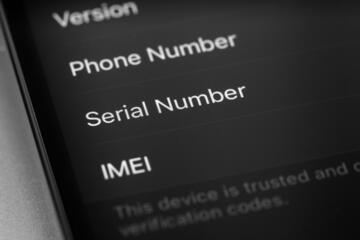
For durable medical equipment, keep the receipt, serial number record, and setup documentation. Serial numbers matter for recalls and service tickets, and lot numbers can matter for certain consumables. If the device has settings that affect outcomes, save the training checklist or the initial configuration summary. Some devices generate a “setup report” during pairing; that file is often more useful than a generic user manual.
For supplies like test strips, keep the packaging label that shows lot number and expiration date. If a batch issue occurs, the lot number is the link between your experience and the manufacturer’s notice. A practical habit is to photograph the label at the time you open the box, then store the photo with the purchase receipt.
Insurance, Claims, And Authorization Evidence
Keep prior authorization approvals, denial letters, and appeals correspondence. These documents often contain the payer’s stated criteria, which helps you understand what evidence the payer accepted. Save the claim status screenshots with dates, since status pages can change. If you submit documents, keep a copy of what you sent and the submission confirmation number.
For reimbursement programs, keep the program terms you received at enrollment and the receipts tied to the claim. If a program changes rules mid-year, the enrollment packet can show what you were promised at the time. This is where people lose time: they save the receipt but not the submission confirmation, so they cannot prove what was received.
Case Examples With Realistic Constraints
Example 1: Specialty medication refill dispute. A patient receives a specialty drug through a mail-order pharmacy. The patient saves only the bottle label and a bank statement. When the insurer denies a later claim, the insurer asks for the dispensing record showing quantity and NDC. The patient then has to request a pharmacy transaction history, which takes days. If the patient had saved the pharmacy receipt for the last approved fill, the insurer could match the NDC and quantity faster.
Example 2: Durable device troubleshooting after a firmware update. A person uses a home device that logs usage and settings. They keep the user manual but discard the setup sheet that lists the serial number and initial configuration. After a firmware update, the device reports an error code. The clinician requests the serial number to check compatibility and service history. The patient spends time locating the original purchase email and cannot find the setup sheet, so the clinician delays the troubleshooting steps until the device is identified.
Evidence Checklist And Tradeoffs
| Item Type | Keep This | When It Helps | Common Failure |
|---|---|---|---|
| Prescription fills | Pharmacy receipt/label with strength, quantity, date | Prior auth, refill gaps, dose verification | Only bottle label or only bank charge |
| Lab and imaging | Final report PDF with timestamps; study date | Clinical follow-up, amended results | Screenshots without report date |
| Devices and supplies | Serial number, setup sheet, lot/expiration labels | Recalls, service tickets, compatibility checks | Manual only; no serial number |
| Insurance actions | Approvals/denials, appeals, claim status with dates | Disputes, documentation matching | No submission confirmation or copies |
Step-by-step storage plan:
- Pick a single folder system for the year (for example, “2026 Health Records”), then create subfolders for Medications, Labs, Devices, and Insurance.
- After each fill or test, save the primary record that includes identifiers and dates; if you download a PDF, keep the filename with the report date.
- For devices, record serial number and setup documentation once, then add service tickets as they arrive.
- For insurance, store the payer letter and your submission copy together, since the letter often references the evidence you sent.
- Do a 10-minute quarterly check for missing timestamps and identifiers, which is where most “almost useful” evidence fails.
Common Mistakes That Weaken Proof
People often save only what is easiest to access, not what contains the identifiers that other parties request. A screenshot of a portal page without the report date or without the drug strength can look convincing but fails when a reviewer needs exact matching fields. Another frequent issue is mixing documents from different dates into one file, which makes it hard to show what happened first.
Some readers store evidence in a way that breaks later access. Cloud links expire, email threads get archived, and scanned PDFs become unreadable after a phone upgrade. A practical fix is to keep local copies of PDFs and receipts and to verify that the files open on a second device. I have seen “password-protected” PDFs that were created with a forgotten password, which turns evidence into a dead end.
Privacy mistakes also reduce trustworthiness. Health documents contain identifiers, and sharing them broadly can create risk. Use controlled access for digital storage, and avoid sending full records by text message or unencrypted email. If you must share, redact nonessential fields and include only what the recipient requests.
Finally, people keep everything forever without a plan. That increases the chance of accidental disclosure and makes it harder to find the one document that matters. A better approach is to keep evidence tied to ongoing care and disputes, then follow your clinician or insurer’s retention expectations when available.
FAQ
How long should I keep receipts?
Keep pharmacy receipts and device purchase documentation for at least the period when disputes or service issues are likely. If you are in an active insurance appeal or using a device with ongoing service, keep records until the matter closes and the device is no longer under active service coverage.
What counts as proof for a lab result?
A final report that includes the report date and reference ranges is stronger than a screenshot. If the lab issues an amendment, keep the amended report and the original version so you can show what changed.
Do I need to save prior authorization letters?
Yes, when the payer’s decision depends on documentation. Approval and denial letters often list the criteria used, which helps you respond to future denials or re-authorizations.
Should I store device serial numbers?
Store the serial number and the setup documentation. Recalls and service tickets typically require serial numbers, and clinicians often need them to check compatibility or warranty status.
How do I organize evidence without oversharing?
Use a single folder structure, store files with controlled access, and share only the documents requested. Redact unrelated identifiers when sending records, and avoid unencrypted messaging for full health documents.
Author's Insight
Evidence quality in health records depends on identifiers, timestamps, and the ability to match records across systems. A pharmacy receipt that includes strength and quantity usually helps more than a bank statement because it contains the fields insurers and clinicians request. Lab and imaging PDFs matter because they preserve report dates and reference ranges, which reduce ambiguity when results are amended. For devices, serial numbers and setup documentation connect your experience to manufacturer service and recall processes. When you build a storage plan around those matching fields, you reduce the chance that “saved documents” become unusable later.
Key Takeaways
- Save records that include dates and identifiers, not just confirmation emails or screenshots.
- Keep medication fill receipts, final lab reports, and device serial/setup documentation together with insurance letters.
- Verify file access and readability on more than one device, since links and scans fail.
- Store evidence with privacy controls and share only what the recipient requests.