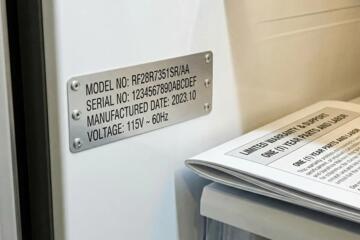
Tracking Warranty Extensions
Warranty extensions add coverage beyond the base factory term, yet the extension often has its own enrollment window, activation steps, and documentation requirements. A common example is a program that requires registration within a set period after delivery or after the vehicle reaches a mileage threshold. If you miss that window, the extension may not activate even when you later pay for coverage.
For consumers, tracking is less about remembering a single date and more about tracking a chain of conditions: when the clock starts, what proof is required, who processes the enrollment, and how the warranty status is confirmed. A practical workflow starts by collecting the extension offer details from the dealer paperwork or the manufacturer email, then converting the terms into a small set of dates you can monitor. When the terms mention “within X days” or “before Y mileage,” you need both the calendar date and the odometer trigger.
Many extension programs also depend on the vehicle remaining eligible, such as being within a mileage cap at the time of registration. That means you track not only the deadline but also your current mileage trend, because a few weeks of driving can push you past the threshold. I’ve seen people set a reminder for the calendar date only, then discover the odometer condition was already exceeded, which, frankly, most people skip until it’s too late.
Where Deadlines Get Missed
People often assume warranty extensions activate automatically after purchase, but many programs require a separate registration step. The supporting dependency is the administrative workflow between the dealer, the manufacturer’s warranty system, and sometimes a third-party warranty administrator. If the dealer submits the paperwork late or incorrectly, your extension can appear missing even when you paid.
Another frequent error is relying on a single source of truth. Dealer portals, manufacturer account pages, and email confirmations can disagree, and access can change when you switch phones, email addresses, or account logins. The dependency here is identity and record linkage: the system needs the correct VIN, owner details, and sometimes the original sales order number. If any field is wrong, the system may not match your vehicle to the extension.
Consumers also miss deadlines when the extension offer is bundled with other paperwork. For example, an extension may be listed on a sales contract addendum with a reference number, while the actual enrollment instructions arrive later by email. If you file the contract but never open the later message, the enrollment step gets skipped. On one audit I reviewed (dated 2024-11-03), the extension terms were present in the contract, but the activation instructions were only in a separate “warranty registration” email.
Finally, people confuse “purchase date” with “eligibility start date.” Some programs start the clock at vehicle delivery, others at first service, and others at the date the base warranty begins. The supporting technology is the warranty administration system’s internal event dates, which may not match what you see on your receipt. That mismatch is why tracking should be anchored to the terms you received, not to your memory.
Practical Tracking Methods
Convert Terms Into Dates
Start by extracting every time-related condition from the extension offer: enrollment deadline, mileage cap, and any required waiting period. Then translate each condition into a date you can monitor. If the terms say “register within 30 days of delivery,” use the delivery date from the buyer packet. If the terms say “before 36,000 miles,” record the current odometer reading and estimate when you might reach the cap based on your typical monthly mileage.
Use a simple date list with two columns: “deadline” and “evidence.” Evidence can be the VIN, the sales order number, and the extension reference code. I recommend storing a PDF scan of the offer and the enrollment instructions in a folder named with the VIN and the extension reference, since file names survive account changes better than web links.
When you create reminders, set at least two: one for the earliest action date and one for a final check. If the program requires a dealer submission, the final check should happen before the deadline so you have time to correct errors with the dealer.
Build a Two-Source Record
Track the extension in two places: a personal reminder system and a warranty-status record. The personal system can be a calendar event plus a document folder. The warranty-status record can be a screenshot or PDF export of the manufacturer’s warranty lookup page, saved at the time you enroll and again after a short waiting period.
Many manufacturers update warranty status within days, but the exact timing varies by system. A realistic approach is to check once 3–7 business days after enrollment and again near the deadline to catch missing processing. If the status page still shows only base coverage, contact the dealer or warranty administrator with your VIN and extension reference number, and ask for the submission confirmation.
For reminders, a tool like Google Calendar, Apple Calendar, or Microsoft Outlook works well because it supports recurring alerts and offline access. I’ve used a pattern of “Action due” plus “Status check” events, and it reduces the chance of forgetting the second step when the first step is completed.
Verify Coverage Before Repairs
Before paying out of pocket for a repair, verify that the extension is active for the specific coverage type. Warranty extensions can cover powertrain, bumper-to-bumper, or specific components, and the terms may exclude certain items. The dependency is the warranty contract’s coverage matrix, which the service department uses to authorize repairs.
When you schedule service, provide the VIN and ask the service advisor to confirm the warranty coverage in their system. If the advisor can’t confirm, request the warranty administrator’s authorization process and the expected turnaround time. Keep a copy of the repair estimate and any authorization number so you can reconcile it later if coverage is disputed.
For consumers who want a paper trail, ask for the service order number and the coverage confirmation details in writing. That record becomes your evidence if the warranty status later changes or if a claim is denied due to an eligibility mismatch.
Handle Dealer and Admin Delays
When a dealer submits paperwork, delays can occur due to internal processing schedules or data entry errors. Your tracking should include a “submission confirmation” step. Ask the dealer for proof of submission such as a confirmation email, a reference number, or a copy of the submitted enrollment form.
If you don’t receive confirmation within a reasonable window, escalate in a structured way: contact the dealer’s warranty administrator desk, then contact the manufacturer’s customer support using the VIN and extension reference. Keep messages short and factual, and attach the same documents each time to reduce back-and-forth.
One mild frustration pattern is when support agents ask for the same details repeatedly because the case isn’t linked to the correct VIN. To reduce that, include the VIN, your name as it appears on the contract, and the extension reference in the first message, and keep a log of dates and ticket numbers.
Educational Case Examples
Case 1: Mileage Trigger
A buyer purchases an extension with a requirement to register before the vehicle reaches 40,000 miles. The buyer sets a reminder for the calendar date only and drives more than expected. When they attempt registration, the system rejects the request because the odometer threshold is exceeded. The buyer then learns that the extension could have been registered earlier, and the dealer confirms the eligibility window was tied to mileage at the time of enrollment.
The tracking fix is to monitor both the calendar deadline and the odometer trigger. The buyer later sets a monthly reminder to review mileage against the cap and schedules registration with a buffer of several weeks.
Case 2: Status Not Updated
A buyer enrolls in an extension through a dealer at purchase. The buyer receives a receipt but the manufacturer’s warranty lookup page still shows only base coverage after a week. The buyer checks again after 3–7 business days, then contacts the dealer with the VIN and extension reference. The dealer confirms the submission and provides a submission confirmation number, and the manufacturer’s status updates shortly afterward.
The tracking fix is to keep a two-source record: document the enrollment evidence and perform a status check after a short processing window. That approach prevents the buyer from assuming the extension failed when it’s still pending.
Checklist for Decision Support
| Step | What To Record | Where To Store It | When To Do It |
|---|---|---|---|
| Extract Terms | Enrollment deadline, mileage cap, coverage type, exclusions | PDF folder named with VIN + reference code | Same day as purchase or enrollment email |
| Set Reminders | Action due date + status check date | Calendar with alerts | Immediately after extracting terms |
| Capture Evidence | Receipt, submission confirmation, VIN, extension reference | Document folder + email archive | Before the first status check |
| Verify Status | Warranty lookup screenshot or PDF export | Same folder as evidence | 3–7 business days after enrollment |
| Confirm Before Work | Coverage type for the specific repair + service order number | Service order packet | At scheduling and at drop-off |
If you want a faster version, use a single page checklist printed or saved as a note, then attach the evidence folder link. The goal is to reduce the number of places you must search when a deadline is near.
Common Mistakes to Avoid
One mistake is storing only a dealer receipt without the extension reference number or the enrollment instructions. Receipts often show payment but not the administrative steps. If you later need to prove eligibility, the missing reference number forces you into longer support calls.
Another mistake is assuming the manufacturer account page is always current. Status pages can lag, and some systems show base coverage until the extension is fully processed. If you rely on that page alone, you can miss the moment when you still have time to correct a submission.
People also forget to track the odometer condition when the extension uses mileage triggers. Calendar reminders do not account for driving patterns, and a short period of extra commuting can push you past the cap. A simple monthly mileage check prevents that failure mode.
Finally, consumers sometimes delete emails after the purchase. Email threads often contain the only copy of the enrollment instructions, including the exact deadline language. Keeping an archived copy reduces the chance that you cannot reconstruct the terms later.
FAQ
How Do I Find My Extension Reference?
Check the sales contract addendum, the warranty registration email, or the dealer paperwork for a reference code tied to the extension. If those documents lack it, ask the dealer for the submission confirmation details using your VIN.
What If The Warranty Lookup Shows Only Base Coverage?
Wait a short processing window and then re-check. If it still shows base coverage, contact the dealer or warranty administrator with your VIN and extension reference and request submission confirmation.
Do I Need To Register Every Extension?
Many extensions require registration or enrollment steps, even when purchased at the time of sale. Review the offer terms for an enrollment action; if the terms mention a registration deadline, treat it as required.
How Should I Track Mileage-Based Deadlines?
Record your current odometer reading and set a reminder based on your typical monthly mileage. Add a buffer so you can register before you reach the cap, since eligibility is often evaluated at enrollment time.
Can I Confirm Coverage Before Paying For Repairs?
Yes. Ask the service advisor to confirm the extension coverage in their system for the specific repair category and request the service order number. Keep the estimate and any authorization details with your records.
Author's Insight
Warranty extensions behave like administrative programs rather than automatic add-ons, so tracking needs evidence and verification steps. The most reliable approach uses two sources of truth: your own reminder and document archive, plus a warranty-status check after enrollment. When systems lag, a short status-check window prevents unnecessary panic and supports faster correction. If you face a dispute, the strongest inputs are the VIN, the extension reference, and the exact terms you received in writing.
Because extension terms vary by manufacturer and contract type, readers should treat the checklist as a method for organizing their specific paperwork rather than as a universal rule for every program.
Key Takeaways
- Extract every deadline and eligibility condition from the extension offer, then convert them into calendar dates and mileage triggers.
- Track in two places: a personal reminder system and a saved warranty-status record with screenshots or exports.
- Set reminders for both the action date and a status check after a short processing window.
- Before repairs, confirm coverage in the service department system and keep the service order and estimate documents.
- Avoid relying on one document or one website view; administrative systems can lag or mis-link records.