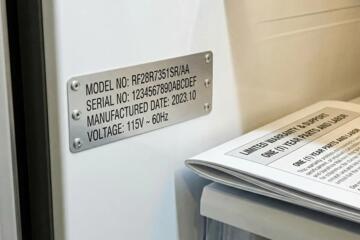
Warranty Claim Timeline Dates
A warranty claim often turns into a timeline dispute: the shop says the failure started earlier, the warranty administrator says the evidence points later, and the paperwork never matches. Recording the right dates helps you show sequence, not just outcomes. For example, a “repair date” alone rarely proves when the problem began, when the vehicle was first presented for diagnosis, or when the dealer authorized a parts order.
Start with the dates that connect your vehicle’s condition to the warranty process. In many workflows, the key moments are: first symptom notice, first appointment or drop-off, diagnostic completion, warranty approval request, approval decision, parts arrival, repair start, repair completion, and return-to-service. If you drive a leased vehicle, add the date you notified the leasing company, since some contracts require notice before certain repairs.
Keep a simple log you can export later. A spreadsheet works, but a notes app with a consistent naming pattern also works; I’ve seen claims stall because the “photo folder” had no dates and the dealer asked for them again. If you use a tool like Microsoft Excel version 2408 or Google Sheets, add one column for “source” (invoice line, email, screenshot) so you can trace each date back to a document.
Common Pain Points And Dependencies
People often record dates that feel relevant but fail to match how warranty decisions get made. A common mistake is writing down the day the repair was finished while skipping the day the vehicle was first presented for diagnosis. Another frequent gap is missing the date you authorized the shop to proceed after diagnosis, since some approvals depend on that step.
Warranty administrators usually rely on documentation that shows when the issue was reported and when the dealer performed diagnostic steps. That means the timeline depends on supporting systems: the dealer’s repair order (RO), the technician’s diagnostic notes, parts ordering records, and the warranty claim submission timestamp. If the shop uses an internal system for warranty submission, you may only see the date on the claim confirmation or the RO status history.
Parts availability adds another dependency. If a part is backordered, the repair start date can shift even when the diagnosis was completed earlier. When you record dates, separate “diagnosis completed” from “repair started,” because warranty coverage decisions may reference when the failure was identified rather than when the vehicle returned to you.
Also watch for time-zone and “business day” wording in emails. A message sent at 11:55 PM local time can be treated as the next day by an internal ticketing system, which can matter when a warranty window is measured by days. This is one reason to record the exact timestamp when you have it, not just the calendar date.
How To Record Dates Correctly
Log The First Report Date
Record the date you first noticed the symptom and the date you first contacted the dealer or service center. Include a short description of what you observed (noise, warning light, performance change) and the vehicle’s mileage at first report. If you contacted the dealer by phone, write down the approximate time and the person’s name; if you contacted by email, save the message with headers intact.
For a practical target, aim to capture the first report date within 24 hours of noticing the issue. If you wait a week, you may still win the claim, but you’ll spend more time reconstructing the timeline from memory and screenshots, and warranty reviewers tend to prefer contemporaneous records.
Capture Diagnosis And Authorization
Record the date the vehicle was dropped off for diagnosis and the date the diagnostic work was completed. Then record the date you approved the repair plan after diagnosis, since some warranty processes require customer authorization before the shop submits parts and labor for coverage. On the repair order, look for fields like “vehicle received,” “diagnosis complete,” “authorization,” and “work started.”
If the dealer provides a written estimate or a “repair plan” document, save it. The estimate date can differ from the RO date, and that difference can matter when a warranty administrator asks when the issue was confirmed. I’ve also seen dealers print a revised estimate after parts pricing changes; the revised document date becomes the one you want to reference.
Track Parts, Repair Start, And Completion
Record the date parts were ordered and the date parts arrived. Then record the repair start date and the completion date shown on the RO. If the vehicle was returned to you the same day as completion, record the “customer pickup” date too, since some systems treat “completion” as internal sign-off while “pickup” reflects when you regained control of the vehicle.
For outcomes, you’re aiming for a timeline that lets a reviewer answer: when the issue was first reported, when it was diagnosed, when warranty approval was requested, and when the repair actually happened. If any of those dates are missing, add a note explaining why, such as “diagnosis completed on RO but approval email not received.”
Organize Evidence For Disputes
Use a single folder per claim and name files with dates, such as “2026-09-12_RO.pdf” and “2026-09-14_warranty_email.png.” Keep a short “evidence index” at the top of your notes: each date with the document that supports it. A reviewer can then verify your timeline without chasing attachments.
When you photograph the vehicle, include the dashboard warning light and the odometer reading. If you later need to show mileage at the time of first report, the odometer photo can be more persuasive than a memory-based estimate. If you use a phone, check that your photo metadata still includes the capture date; some messaging apps strip metadata, which is annoying when you’re trying to prove timing.
Case Examples: Realistic Timelines
Example 1: Intermittent warning light. A driver notices a check-engine light on 2026-03-02 at 41,200 miles and emails the dealer the same day. The vehicle is dropped off for diagnosis on 2026-03-05. The dealer completes diagnostics on 2026-03-06 and calls with an authorization request; the customer approves on 2026-03-06. The part arrives on 2026-03-12, repair starts that day, and the vehicle is completed on 2026-03-13. The claim denial letter cites “failure not confirmed at initial presentation,” so the driver submits the 2026-03-02 email and the RO fields showing diagnosis completion date.
Example 2: Backordered sensor replacement. A lessee reports a traction control fault on 2026-05-18 and schedules service. The vehicle is received on 2026-05-20, diagnostics complete on 2026-05-21, and the shop submits a warranty request on 2026-05-22. Warranty approval arrives on 2026-05-23, but the sensor backorder delays repair start until 2026-06-03. The vehicle is completed on 2026-06-04. The lessee records the approval date and the parts arrival date to show the delay was supply-related rather than a failure to diagnose promptly.
Warranty Date Tracking Checklist
| Date To Record | What It Proves | Where To Find It | Common Missing Piece |
|---|---|---|---|
| First Symptom Date | When you first reported the problem | Email/phone notes, photo metadata | No mileage or no contemporaneous message |
| Drop-Off For Diagnosis | When the dealer had the vehicle | Repair order “vehicle received” | Only the completion date is recorded |
| Diagnosis Complete | When the issue was confirmed | RO notes, technician sign-off | No written diagnostic summary |
| Authorization Date | When you approved the repair plan | Estimate approval, RO authorization field | Approval happens verbally with no note |
| Warranty Request And Approval | When coverage was sought and granted | Claim confirmation email, RO status history | No claim submission timestamp |
| Parts Arrival | Why repair start shifted | Parts receipt note, RO line item dates | Only “repair started” is recorded |
| Repair Start And Completion | When work occurred | RO “work started,” “completed” | Pickup date not captured |
Step-by-step checklist: 1) Write the first symptom date and mileage. 2) Add the drop-off date and the RO number. 3) Add diagnosis complete date and the technician’s summary line. 4) Add authorization date and the estimate/approval document. 5) Add warranty request and approval dates if you receive them. 6) Add parts arrival date, then repair start and completion. 7) Add pickup date and keep a copy of the final invoice.
Common Mistakes That Hurt Claims
One mistake is mixing “event dates” with “paperwork dates.” If you schedule an appointment on one day but drop off the vehicle later, the drop-off date matters. Another mistake is using a single date for multiple steps, like writing “repair date” for both diagnosis and completion, which forces warranty reviewers to guess.
People also lose time by not requesting copies of the repair order and warranty paperwork. Many dealers can print the RO and the final invoice on request, and some can share the warranty claim submission confirmation. If you only receive a verbal update, you may later face a denial letter that references a date you never saw.
Another practical error is failing to record mileage at the time of first report. Warranty terms often reference mileage limits, and the reviewer may compare your first report mileage to the vehicle’s odometer at later steps. If you have a photo of the odometer from the first symptom day, store it with the rest of the evidence.
Finally, avoid editing screenshots or photos after the fact. If you must redact personal information, do it in a way that preserves the original capture date and document context. A modified file name without a date can look like a reconstruction, and that slows down review.
FAQ
Which Date Matters Most For Coverage?
Record the date you first reported the symptom and the date the dealer received the vehicle for diagnosis. Those two dates anchor the timeline; completion dates alone rarely answer why coverage should apply.
What If I Only Have The Repair Completion Date?
Ask the dealer for the repair order fields showing vehicle received, diagnostic completion, and authorization. If you lack warranty approval timestamps, request the claim confirmation or RO status history.
Do I Need To Record Parts Arrival Dates?
Yes when delays occur. Parts arrival helps explain why repair start shifted after diagnosis, which can matter when a reviewer questions the gap between confirmation and repair.
How Should I Document Phone Calls?
Write the call date, approximate time, the person’s name, and what you were told. Save any follow-up email that references the call, since warranty reviewers prefer written records.
Can I Submit A Claim Without Every Date?
You can submit, but missing dates increase the chance of a request for additional information. If a date is missing, include a short explanation tied to a document you do have.
Author's Insight
Warranty disputes often hinge on sequence: when the problem was first reported, when diagnosis confirmed it, and when authorization and repair occurred. A careful timeline reduces ambiguity for both the dealer and the warranty administrator. Evidence quality matters as much as evidence quantity, so pairing each date with a source document improves credibility. When you organize files with consistent date-based names, you reduce back-and-forth during review, which can be frustrating when deadlines are tight.
I do not have access to your specific warranty terms, so treat this as a general documentation framework. Your manufacturer’s warranty booklet and the dealer’s repair order fields define what they will accept, and those details vary by brand and region.
Key Takeaways
- Record first symptom date and mileage, not just the repair completion date.
- Capture the dealer’s vehicle received date, diagnosis completion date, and your authorization date.
- Separate diagnosis completion from repair start when parts are backordered.
- Store each date with a source document and use date-based file names for fast retrieval.
- If a date is missing, request the repair order fields from the dealer and explain the gap in writing.