Popular Articles
 Accounts
05.09.2026
Accounts
05.09.2026
Account Recovery Codes: Where Should You Store Them?
Account recovery codes are one-time or limited-use backup strings for regaining access when you lose a phone, email, or password. This guide is for people who manage personal accounts and want fewer lockouts. You’ll learn how recovery codes work, what storage options reduce risk, which dependencies matter, and how to test your plan without exposing codes to thieves. Practical examples show realistic recovery steps and common failure points.
 Accounts
30.08.2026
Accounts
30.08.2026
How to Audit Accounts With No Recovery Method
This guide explains how to audit accounts when you cannot recover access through password reset, recovery email, or phone verification. It helps readers assess what they can still prove, what they cannot, and how to document findings for security, compliance, or personal cleanup. You’ll learn practical checks for login history, session tokens, device lists, API keys, and linked services, plus a decision checklist for when to escalate to account owners or support teams.
 Accounts
24.08.2026
Accounts
24.08.2026
Passkey Backup: Synced vs Device-Bound Credentials
Passkeys replace passwords with cryptographic credentials stored on devices or synced across accounts. This guide helps readers compare synced and device-bound passkey backup, understand what breaks when a phone is lost, and plan recovery steps. You’ll learn how passkey storage works, what dependencies exist (account, device, OS, and browser), how to test recovery before you need it, and which backup choices reduce lockout risk for personal and family accounts.
 Accounts
18.08.2026
Accounts
18.08.2026
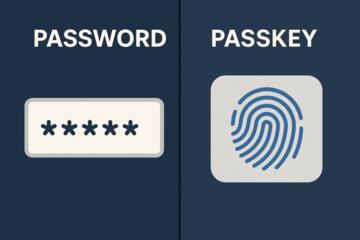
Passkeys vs Passwords: What Changes for Account Security
Passkeys and passwords both protect online accounts, but they work differently. This guide explains how passkeys use public-key cryptography, why phishing resistance changes the threat model, and what still goes wrong (lost devices, account recovery, shared computers). It’s for readers who manage email, banking, and work logins and want practical steps to switch safely. You’ll learn how to evaluate passkey support, set recovery options, and reduce account takeover risk without assuming perfect security.
 Accounts
14.08.2026
Accounts
14.08.2026
Cutting Down Your Digital Footprint: Less Tracking, Less Data Clutter
Digital footprint reduction helps people limit tracking and reduce stored personal data across browsers, apps, and accounts. This guide targets readers who want practical steps without breaking services or losing access. You will learn how tracking works, where data clutter comes from, which browser and account settings matter, and how to measure progress using logs and privacy tools. The article also covers common mistakes, realistic scenarios, and a checklist for safer daily browsing.
 Accounts
08.08.2026
Accounts
08.08.2026
Handling Digital Assets and Online Accounts After a Family Member Passes
This guide helps families manage online accounts and digital assets after a death, with a focus on practical steps, legal limits, and security risks. It explains what people often miss, how account recovery and data access typically work, and how to document decisions. Readers will learn how to inventory services, handle passwords and 2FA, contact providers, and protect privacy for emails, cloud storage, and financial portals.
 Accounts
02.08.2026
Accounts
02.08.2026
Syncing Files Across Devices: Keeping Work and Personal Folders Organized
This guide explains how file syncing works across phones, laptops, and desktops for people mixing work and personal documents. It covers common setup mistakes, the role of cloud storage, sync clients, and file permissions, plus practical folder patterns that reduce duplicates and version conflicts. You’ll learn how to choose a sync method, set up separate work/personal spaces, and verify results with simple checks so your files stay organized and recoverable.
 Accounts
27.07.2026
Accounts
27.07.2026
Building a Bulletproof Backup System for Photos, Files, and Data
Losing photos, files, or important documents usually happens at the worst possible time—after a hard drive dies, you accidentally delete a folder, or malware locks you out. This guide shows you how to build a backup system that actually works, using reliable storage options and simple verification steps so you’re not guessing when you need your data back. You’ll learn how to pick a backup strategy that fits your life, set up both local and offsite copies (so one disaster doesn’t wipe everything), and run restore tests to confirm your backups are usable. It also calls out common pitfalls—like syncing instead of backing up, forgotten devices, or failed jobs—that can quietly leave you unprotected.
 Accounts
21.07.2026
Accounts
21.07.2026
Keeping a Secure Master List of Credentials Without Risky Shortcuts
This article explains how to keep a secure master list of credentials for accounts and services without risky shortcuts. It is for individuals and small teams who manage passwords, API keys, and access to health-adjacent systems. You will learn common failure modes, how attackers typically exploit weak storage, and practical controls such as vaults, rotation, access scoping, and audit trails. You will also see anonymized scenarios and a decision checklist for choosing safer workflows.
 Accounts
15.07.2026
Accounts
15.07.2026
Setting Up a Dedicated Email for Bills, Sign-ups, and Life Admin
A dedicated email address for bills, sign-ups, and everyday life admin reduces missed due dates and cuts inbox clutter. This guide helps informed readers set up a separate mailbox, choose safe settings, and manage subscriptions without mixing personal messages. You’ll learn how to structure folders and aliases, protect accounts with strong authentication, and handle common provider and deliverability issues. Includes realistic scenarios, a decision checklist, and practical fixes for mistakes.